













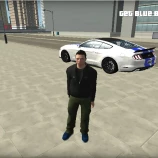


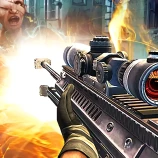


Crazy Shoot Factory is an online multiplayer first-person shooter that places you inside fast-paced 3D arena battles. Enter an available room or create your own match, choose a class and compete against other players while exploring the map and searching for the best firing positions.
Matches reward accurate aim, quick reactions and smart movement. Running directly into an open area can make you an easy target, so pay attention to corners, elevated positions and possible routes around the arena. Each class offers a different loadout, allowing you to experiment with different approaches until you find one that suits your playstyle.
How to Play Crazy Shoot Factory
Begin by entering a player name and selecting an available multiplayer room. You can also create a new room and wait for other players to join. Once the match begins, move through the arena, locate opposing players and use your equipped weapon to improve your match score.
Keep moving while checking entrances, platforms and narrow passages. Remaining in one position for too long may allow another player to approach from a different direction. Use cover when possible, crouch when you need a lower position and run when you must cross an exposed area quickly.
Your weapon and general playstyle depend on the class you select. You can change classes during the game, so try another option when your current loadout does not suit the map or the way the match is developing.
Crazy Shoot Factory Controls
- WASD or Arrow Keys: Move your character
- Mouse: Look around and aim
- Left Mouse Button: Shoot
- Space: Jump
- Shift: Run
- C: Crouch
- M: Change your class
- Tab: Open the in-game menu
Choose a Class and Join the Battle
Crazy Shoot Factory includes four class options with different weapon loadouts and combat styles. Instead of using the same approach in every match, you can change your class and adapt to the situation.
A class suited to close-range encounters may be useful inside narrow sections of the arena, while another loadout may work better when watching open areas from a safer position. Learning where each class performs well adds more strategy to the multiplayer action.
Create or Join a Multiplayer Room
The game allows you to join an existing room or create a new one. Multiplayer matches can include up to eight players, making the arenas busy enough for frequent encounters without becoming too difficult to follow.
Before joining, check the available room information and choose a match with open space. Creating a room is useful when you prefer to begin a fresh session rather than enter a match that is already underway.
Game Features
- Online multiplayer first-person shooter gameplay
- Fast-paced 3D arena battles
- Rooms supporting matches with up to eight players
- Four selectable combat classes
- Different weapon loadouts and playstyles
- Room creation and room selection
- Running, jumping and crouching controls
- Browser-based gameplay without a separate installation
Tips for Playing Crazy Shoot Factory
Keep moving between safe positions
A stationary player is easier to notice and target. Move between walls, corners and other protected positions instead of remaining in an exposed area.
Check corners before entering
Do not rush blindly into rooms or narrow passages. Slow down briefly, adjust your view and check whether another player is waiting nearby.
Avoid unnecessary jumping
Jumping can help you move across parts of the arena, but repeated jumps can also make your movement less controlled. Use it when crossing obstacles or changing position rather than during every encounter.
Try each available class
The first class you select may not be the best one for every situation. Test the available classes and compare their weapon loadouts before deciding which approach feels most comfortable.
Use running at the right moment
Running helps you cross open ground or leave a dangerous position quickly. Slow down again when approaching corners so that you can aim and react more carefully.
Why Play Crazy Shoot Factory on Eyzi.Net?
Eyzi.Net lets you launch Crazy Shoot Factory directly in your browser without downloading a separate game client. Enter a multiplayer room, choose your class and begin playing using your keyboard and mouse.
The game is a good choice for players who enjoy compact multiplayer arenas, first-person controls and online matches that focus on movement, positioning and accuracy.
Frequently Asked Questions
Is Crazy Shoot Factory a multiplayer game?
Yes. Crazy Shoot Factory is an online multiplayer FPS in which you enter rooms and compete against other players.
How many players can join a match?
Multiplayer matches can support up to eight players.
Can you create a room in Crazy Shoot Factory?
Yes. You can create a new multiplayer room or join one of the available rooms.
How many classes are available?
The game includes four classes with different weapon loadouts and playstyles.
Can you change your class during a match?
Yes. Press the M key to access the class selection and change your current class.
What are the main controls?
Use WASD or the Arrow keys to move, the mouse to look around, the left mouse button to shoot, Space to jump, Shift to run and C to crouch.
Can Crazy Shoot Factory be played on mobile devices?
The game is designed around keyboard and mouse controls, so it is best played on a desktop or laptop computer.
Do you need to download Crazy Shoot Factory?
No. You can launch and play the game directly through a supported web browser.